
America's Test Kitchen LogoCook's Country LogoCook's Illustrated Logo

Reviews You Can Trust.
See Why.

The Best Remote and Wireless Thermometers

Babysitting food can be a real slog; remote-probe thermometers untether you from the oven or grill and let you monitor food temperature from afar.

Headshot of Lauren SavoieHeadshot of Miye Bromberg
By Lauren Savoie & Miye Bromberg

Last Updated March 18, 2026

Editor&aposs Note:Update, March 2026

We tested two wireless thermometers. We now recommend one, the ThermoWorks RFX Wireless Probe Starter Kit, though we still think that the ThermoWorks Smoke 2-Channel Alarm is the best option for most people.

What You Need To Know

We’ve recommended the ThermoWorks Smoke 2-Channel Alarm for several years and still think it’s the best option for most people. It’s easy to use, allows you to take the temperature of two pieces of food at once, and relays highly accurate temperatures for relatively long distances via a radio-transmission pager system. If you have a strong internet connection where you grill or barbecue and are willing to pay a bit more, we also love the FireBoard 2. Our upgrade pick allows you to track up to six different pieces of food (or air temperatures) at once and can send highly accurate temperatures to your phone even if you’re miles away. It’s a great option for serious barbecue enthusiasts or other folks who often handle multiple long-cooking roasts. We also have a Best Buy, the ThermoPro TP920 Dual Probe Bluetooth Meat Thermometer. Because it uses Bluetooth to transmit signals, it isn’t able to broadcast them quite as far as our top picks. But it’s otherwise inexpensive, accurate, and easy to use, making it a good option for folks who want temperature alerts with a little more distance from their food. Finally, we now recommend a wireless thermometer, the ThermoWorks RFX Wireless Probe Starter Kit. It’s a good option for those who don’t like to keep track of extra wires, transmitting accurate temperatures to an app on your phone via Wi-Fi or Bluetooth.

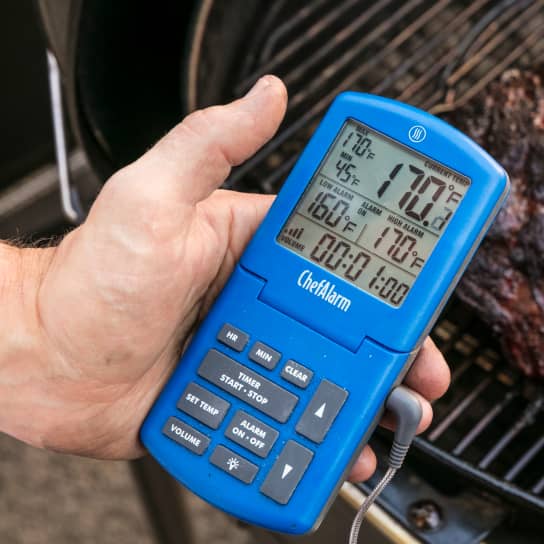
our winning remote probe thermometer by thermoworks

We typically use a leave-in thermometer to monitor the temperature of long-cooking foods—roasts and barbecue—without having to open the oven or grill. (We prefer to use an instant-read thermometer to take the temperature of quick-cooking food such as a steak or a piece of fish.) Instead of repeatedly taking the temperature of your food, as you would with an instant-read thermometer, all you have to do is insert a leave-in temperature probe into your food and walk away. The probe connects to a display that reads out the temperature and will sound the alarm once your food is at your desired temperature.

There’s just one issue with these simple, helpful tools: If you’re not within hearing range of the thermometer, you won’t necessarily get the alert that tells you when your food is done. Enter remote thermometers. These thermometers work the same way as leave-in thermometers, with one critical advantage: they push temperature notifications to either your phone or a pager-style device that you can carry wherever you go. You don’t have to hover near your food the entire time it cooks, because your phone or the pager will alert you when it’s done, freeing you up to do other tasks around the house or yard as you wait. 
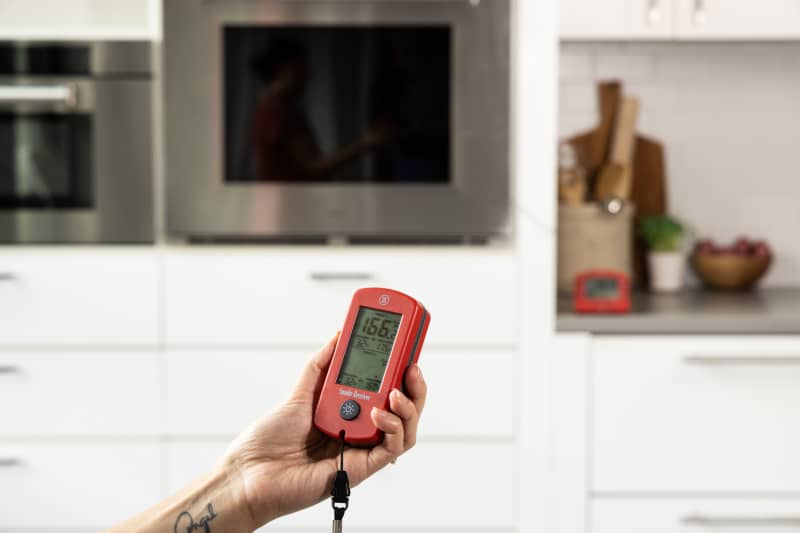
Some remote-probe thermometers provide you with a special pager that communicates with the thermometer receiver. The pager alerts you when your food is at the proper temperature.

Some remote thermometers are wireless and/or feature smart technology that will predict how soon your food will be done—added bonuses. Basically, these thermometers take you off of babysitting duty, making them a worthy investment for anyone who makes a lot of roasts or barbecue.

What Are the Different Types of Remote Thermometers?

Remote thermometers take two basic forms: wired and wireless. 

Wired remote thermometers use temperature probes that are connected via a wire to a receiver. You insert the probe into your food, and the wire transmits the food temperature data to the receiver, which then relays that data to either your phone or a handheld monitor or pager that you carry with you (as you would a walkie-talkie or baby monitor). 

Wireless remote thermometers, as their name suggests, have no wires. Instead, they are nail-shaped probes that you insert into your food; the probe sends temperature data either directly to your phone or to a receiver that you place nearby, and that amplifies the signal and then sends it to your phone.

There are two major categories of remote-probe thermometers: wired models (left) and wireless ones (right).

We love the idea of wireless thermometers, as they make for tidier, easier temperature taking, with no cables to wrangle. But while these tools are improving, they still have a few basic flaws.

First, connectivity. In the past, most used spotty Bluetooth to transmit signals, limiting the true range at which we could use them. This is slowly changing—increasingly, more models come with the option for Wi-Fi connectivity, a transmission option that is generally more reliable (see below).

Second, most have probes that are quite thick—4.5 to nearly 6 mm in diameter compared to the 3.5- to 4-mm-thick probes used with most of the wired models. Wireless probes are thick because they must house not only sensors but also the transmitter and battery required to broadcast the signals to a receiver. Because they’re thick, they put larger holes in food; while this doesn’t noticeably change the food’s quality, we aren’t wild about how the food looked.

While we liked the idea of wireless probes (top), they were generally much thicker than wired probes (bottom), putting larger holes in our food.

You also need to insert the probes fairly deep into food—2 to 3 inches—in order for them to work properly. That’s because most of the wireless thermometers we tested contain multiple sensors at different intervals along the probe. These sensors are supposed to give you more detailed information about the temperatures throughout a piece of food and the heat of the oven, grill, or smoker around that food. The problem is that most of these sensors don’t have a high heat tolerance, as they’re meant to measure internal food temperature; they have to be fully submerged in the food, or they’ll burn out. To protect those sensors, you have to stick the already thick probe even deeper into your food than you might ordinarily—and often at an odd angle, making that large hole even longer.

And what about those extra sensors? In theory, having extra data on your food’s progress seems like a good idea. In practice, though, it’s not always useful. We liked having the ability to take ambient temperatures, but because the sensors were so close to the food, they didn’t always reflect the temperature of the oven or grill that most recipes recommend. And it isn’t really all that helpful to know how fast the surface of your food is heating relative to the interior unless you have an incredibly unpredictable or poorly calibrated oven, grill, or smoker. (You don’t need temperature data to know your fire’s too hot if the outside of your food is charring 15 minutes into a recipe with a 4-hour cook time.) We think most people are better off using a single internal temperature to gauge food doneness.
Wireless probes (left, top, and bottom) have the advantage of being tidier than wired probes (right), though they have other issues that sometimes make them frustrating to use.

There’s a final consideration to keep in mind with wireless thermometers: cost. Because wireless thermometers typically require extra bases or signal boosters to transmit data well and involve special apps that can be pricey to develop, they can be more expensive than your average wired model.

If you really hate fussing with wires and have a slightly larger budget, you might appreciate having our top wireless thermometer. That said, we think the best option for most people is still a wired option, as these are more reliable and are cheaper to boot.

How Do Remote Thermometers Work?

Remote thermometers use different types of radio signals to transmit temperature data. Some operate using Bluetooth, others use Wi-Fi, and a third category uses simple radio transmission. All transmit at the common frequency of 2.4 gigahertz.

But the type of radio signal can greatly affect the range of transmission—i.e. how far away you can go from your food and still receive data on your food—though the size of both transmitter and receiver antennae, the transmission power of both devices, and the material and type of antenna, also play roles.

BluetoothWi-FiSimple Radio Transmission
Pros

Pros

Inexpensive technology. Does not require internet or cell service. Uses small, lightweight batteries.

Pros

Largest range of transmission.

Pros

Moderate range of transmission. Moderate price. Does not require internet or wireless service.
Cons

Cons

Very short range of transmission.

Cons

Requires internet. Uses bigger, heavier batteries. Expensive.

Cons

Range isn’t as expansive as Wi-Fi.

Each type of radio signal has different pros and cons.

  • Bluetooth: The most common type of remote thermometer and usually the cheapest. You’ll need a phone for these models, and as long as the phone you’re trying to pair with a device is within a certain distance, you’ll have a connection. The plus side is that Bluetooth is not dependent on internet or cell service, so the connection continues to transmit signals in cellular dead zones. Unfortunately, in our experience, Bluetooth-enabled models have the shortest range of transmission. Bluetooth requires relatively little power to operate, which is why many manufacturers choose it as a transmission mode—it’ll work even if you have a wireless thermometer with a tiny battery embedded within the probe itself. The problem is, power is exactly what’s required to make a signal from your thermometer travel long distances. The less power your thermometer uses, the smaller its range will be. For many of the Bluetooth-only models we tested, we had to be pretty close to the probe to get a signal—10 to 20 feet or so. Some Bluetooth thermometers come with special bases that can amplify the signal so that it can travel slightly longer distances. While these do help, most don’t extend the range as significantly as we’d like.
  • Wi-Fi: You’ll need a phone and a good internet connection for Wi-Fi-enabled thermometers. If you have both of these things, these Wi-Fi-enabled thermometers can be amazing, providing the longest range of transmission of any of the devices we’ve tested and letting you monitor your food temperature from miles away. But they’re only as good as your internet is dependable: If you’re making barbecue somewhere in a field (or even a backyard) where there’s no Wi-Fi, these thermometers won’t necessarily help you much. And they generally require receivers with larger, heavier batteries to supply the greater power required to transmit Wi-Fi signals; receivers with smaller batteries sometimes lose signals. The Wi-Fi-enabled thermometers that we’ve tested are significantly more expensive than other types, too, though this is largely because both models we’ve tested come with multiple sensors or inputs.
  • Simple Radio Transmission: Radio-transmission models send data to either a phone or a pager-style device, depending on the design. These models strike a happy balance between Bluetooth and Wi-Fi models. With more power than Bluetooth models, they’re able to transmit temperatures within about 30-40 feet, in our experience, though your results may vary. 

Regardless of the type of radio signal, though, it’s important to note that external factors can also play a role in determining the range of the device. Any dense physical object—including barriers such as the walls of a house or a grill or an oven door—can obstruct a signal and limit how far it reaches. For this reason, transmission ranges are rarely as great as advertised. (See FAQ below.)

two screenshots showing temperatures being tracked by wireless probes. there are numbers and graphs on the left image and a progress circle on the right image.
Many of the thermometers let you track temperatures on your phone, letting you know how quickly your food is cooking and when it’s done.

What to Look For

  • Simple Radio Transmission or Wi-Fi: These modes of transmission send temperature data over longer distances more reliably than Bluetooth-enabled models—about 30 to 40 feet for radio transmission models and potentially miles away for the Wi-Fi ones. While we can’t completely write off Bluetooth models, these have several disadvantages that have made them less powerful in transmitting temperatures. As explained above, we found that most struggled to transmit temperature data over even short distances; some models disconnected within as little as 10 feet from their probes. Some models come with or allow you to purchase special boosters, which amplify the signal and extend the transmission range. While these work, they don’t always improve transmission as well as we’d like. If you don’t plan to go too far from your thermometer, a Bluetooth model might serve you fine, but it won’t be quite as powerful as other types of remote thermometers. 
  • Easy Setup: We preferred models with apps or interfaces that were easy to set up and pair with the temperature probes. 
  • Clear, Uncomplicated Apps or Displays: We liked models with apps and displays that made it easy to set target temperatures and showed current temperatures, target temperatures, and time elapsed clearly, without too much extra noise. Large numbers and bold readouts were essential. 
We liked thermometers with simple, clear displays and apps. These made it easy to read the temperature and any other information.
  • Accuracy: The best remote thermometers had probes that registered temperatures within a degree of the correct temperature. We preferred those that deviated as little as possible.
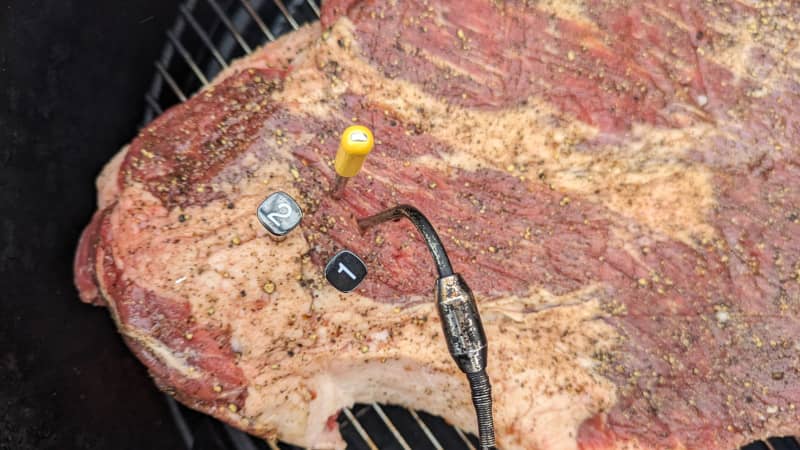
We used the thermometers to track the temperatures of brisket and our smoker over a long period of time.
  • Loud Alerts: These made it obvious when our food had reached its target temperature, or when our phones or pagers had gone out of the transmission area and disconnected. 
  • Maximum and Minimum Temperature Targets: We appreciated models that let us set both maximum and minimum temperature alerts. Maximum temperatures are useful when cooking foods to a specific doneness. Minimum temperatures are important if you’re monitoring variable air temperature, as you might in a grill or smoker—you don’t want your heat level to fall too far below your target range or your food won’t cook properly. 
  • For Wi-Fi-Enabled Models, Receivers with Large Batteries: All Wi-Fi-enabled models are not created equal. In order for a Wi-Fi-enabled model’s receiver to transmit temperature data effectively, it needs a certain amount of power. Receivers with larger rechargeable batteries (or the option to connect the receiver to a wall outlet) consistently sent signals over Wi-Fi more reliably.

Nice to Have

  • Two or More Probes: While you only need one probe to monitor a single piece of food, extra probes let you track other pieces of food or air temperature, which can be handy if you’re roasting several pieces of meat at once or want to monitor your grill or smoker’s ambient temperature. 
  • Data Logging Capacity: Several thermometers graphed out and saved the temperature data as we cooked and allowed us to leave notes on the graph for reference. While this feature isn’t essential for most people, we think serious barbecue enthusiasts might appreciate it, as the graphs give valuable feedback on temperature and speed of cooking for future sessions.

What to Avoid

  • Complicated or Impossible Setup: Some of the models we tested were difficult to consistently pair with our phones, even after downloading the latest updates. No matter how accurate a thermometer is, it’s not much good to you if it can’t actually communicate temperatures.
Some thermometers were hard to charge and/or struggled to find their own probes even when they were right next to them.
  • Buggy, Busy Apps: Several apps had interfaces that were tricky to navigate and made it hard to select target temperatures or customize settings. Others were glitchy and shut off suddenly or froze without warning. 
  • Inaccuracy: We deducted points from models that weren’t able to transmit temperatures within a degree of the correct ones.
  • Poor Charging: Several of the wireless thermometers we tested didn’t always charge properly when set back in their designated chargers or receivers. As a result, we’d sometimes take the thermometer out for use only to find that it was low on battery, even though the charger had been plugged in overnight—a big bummer.

The Tests:

  • Set up all models according to manufacturers’ instructions and pair smartphone-connected models to phone
  • Monitor temperature of Texas Barbecue Brisket and air temperature (where applicable) on charcoal grill for 7-8 hours
  • Monitor temperature of North Carolina Barbecue Pork and air temperature (where applicable) on smoker for 5-6 hours
  • Monitor temperature of Weeknight Roast Chicken in oven for 1 hour
  • Establish transmission range by walking away from probe or base until receiver loses connection, making sure to travel behind walls, up and down stairs, and in areas with low cell and Wi-Fi service to test signal strength
  • Test probe accuracy using ice bath and lab-calibrated reference thermometer
  • Clean probes after each test

How We Rated

  • Setup: We rated the models on how easy their probes and bases were to set up and pair with their receiver or relevant apps. 
  • Connectivity: We noted the range and consistency of each thermometer’s connection to its receiver or a smartphone and its ability to regain connection when back in range.
  • Ease of Use: We evaluated how easy it was to set and silence alarms and set custom target temperatures, how clear and legible the displays were, and how intuitive the apps were to operate. 
  • Accuracy: We rated the models on how accurately their probes reported temperatures.

FAQs

Most companies advertise a transmission range that exceeds what you’re likely to experience in real life. The number they give usually represents the open-space, line-of-sight range in a clear and completely unobstructed path. That is to say, as if you were using your thermometer in food on a grill with the lid off and were walking 300 feet away in a field with no trees, walls, or other obstacles separating you from the probe. In practice, of course, you’ll often be using the thermometer in conditions where more than one barrier separates you from the probe and transmitter—if you’re using one outside on the grill, the lid of the grill and the walls of your house (not to mention any furniture or other dense bodies in the same path) will all obstruct and decrease the range of the thermometer’s transmission. 

Everything We Tested

Good 3 Stars out of 3.
Fair 2 Stars out of 3.
Poor 1 Star out of 3.

Highly Recommended

  • Setup
  • Accuracy
  • Ease of Use
  • Connectivity

WinnerThermoWorks Smoke 2-Channel Alarm

This pager-style model is the best remote-probe thermometer for most people; it’s simple and intuitive to use and provides consistent temperature transmission over medium distances. Right out of the box the pager paired automatically with the receiver, making it ready to use in seconds. Both base and receiver had bright, clear displays that could be read easily in both bright and dim light; both also have backlights for operating in the dark. The unit maintains a connection with its receiver using radio frequency, giving it a slightly longer range than most Bluetooth-enabled models: It transmitted temperatures for a distance of up to 40 feet in our tests, though your exact mileage will vary. (Because it doesn’t rely on Wi-Fi, it’s an especially good option if you are grilling or smoking foods in an area with a weak or nonexistent internet connection.) Alarms were loud and easy to set, and with two inputs, you can monitor both food and air temperature simultaneously. Not everyone will love having to carry around a separate pager to receive alerts, and we wish this model tracked time as well as temperature. But for the price and features included, this model is still the most reliable option on the market.

Model Number: TX-1300-XX (last two digits depending on color of unit)

Style: Pager

Connection: Radio

Power Type: AA batteries

Number of Probes: 2

Temperature Range: -58°F to 572°F

Price at Time of Testing: $109.00

  • Setup
  • Accuracy
  • Ease of Use
  • Connectivity

This pager-style model is the best remote-probe thermometer for most people; it’s simple and intuitive to use and provides consistent temperature transmission over medium distances. Right out of the box the pager paired automatically with the receiver, making it ready to use in seconds. Both base and receiver had bright, clear displays that could be read easily in both bright and dim light; both also have backlights for operating in the dark. The unit maintains a connection with its receiver using radio frequency, giving it a slightly longer range than most Bluetooth-enabled models: It transmitted temperatures for a distance of up to 40 feet in our tests, though your exact mileage will vary. (Because it doesn’t rely on Wi-Fi, it’s an especially good option if you are grilling or smoking foods in an area with a weak or nonexistent internet connection.) Alarms were loud and easy to set, and with two inputs, you can monitor both food and air temperature simultaneously. Not everyone will love having to carry around a separate pager to receive alerts, and we wish this model tracked time as well as temperature. But for the price and features included, this model is still the most reliable option on the market.

Model Number: TX-1300-XX (last two digits depending on color of unit)

Style: Pager

Connection: Radio

Power Type: AA batteries

Number of Probes: 2

Temperature Range: -58°F to 572°F

Price at Time of Testing: $109.00

  • Setup
  • Accuracy
  • Ease of Use
  • Connectivity

Upgrade PickFireBoard 2

A cult favorite among home barbecue aficionados, this Wi-Fi-connected data logger has six channels for either ambient or food probes, making it a great upgrade for cooks who regularly roast or smoke more than one piece of food at a time or for those who want to track the air temperatures in different areas of their smokers, ovens, or grills. It’s pricey but durable and well designed, and as long as the base is in a Wi-Fi zone, you’ll never have to worry about losing connection—we drove miles away from the base and still got readouts. You’ll need to download an app to use it, but the app itself is intuitive and easy to read and use; we loved that we could set multiple alerts for each probe and that we could also use the app to take notes. Best of all, the app graphs the temperatures as they’re registered, giving you a sense of how your food and smoker/grill/oven are progressing. This is especially useful if you’re just learning how to use a smoker, for example, or if you want to track your fridge’s temperature over time. (We just wish we could customize the view so that we could choose to see only certain probes at a time.) You can use the base with a power cord or just rely on its chargeable battery; when fully charged, it worked for more than 14 hours and still had plenty of juice left.

Model Number: FBX2

Style: Smartphone-connected

Connection: Bluetooth and Wi-Fi

Power Type: Rechargeable battery with charging cable

Number of Probes: 2 included, 6 possible

Temperature Range: 0°F to 572°F

Price at Time of Testing: $189.00

  • Setup
  • Accuracy
  • Ease of Use
  • Connectivity

A cult favorite among home barbecue aficionados, this Wi-Fi-connected data logger has six channels for either ambient or food probes, making it a great upgrade for cooks who regularly roast or smoke more than one piece of food at a time or for those who want to track the air temperatures in different areas of their smokers, ovens, or grills. It’s pricey but durable and well designed, and as long as the base is in a Wi-Fi zone, you’ll never have to worry about losing connection—we drove miles away from the base and still got readouts. You’ll need to download an app to use it, but the app itself is intuitive and easy to read and use; we loved that we could set multiple alerts for each probe and that we could also use the app to take notes. Best of all, the app graphs the temperatures as they’re registered, giving you a sense of how your food and smoker/grill/oven are progressing. This is especially useful if you’re just learning how to use a smoker, for example, or if you want to track your fridge’s temperature over time. (We just wish we could customize the view so that we could choose to see only certain probes at a time.) You can use the base with a power cord or just rely on its chargeable battery; when fully charged, it worked for more than 14 hours and still had plenty of juice left.

Model Number: FBX2

Style: Smartphone-connected

Connection: Bluetooth and Wi-Fi

Power Type: Rechargeable battery with charging cable

Number of Probes: 2 included, 6 possible

Temperature Range: 0°F to 572°F

Price at Time of Testing: $189.00

Recommended

  • Setup
  • Accuracy
  • Ease of Use
  • Connectivity

Best Wireless ThermometerThermoWorks RFX Wireless Probe Starter Kit

The most accurate and reliable wireless thermometer we’ve tested so far, this model is a good option if you really hate wrangling probes and cables and have a good Wi-Fi signal throughout your house and yard. A receiver (the “RFX Gateway”), with a relatively large rechargeable battery, does a great job of transmitting signals to your phone over Wi-Fi. You can also use the Gateway to transmit data to your phone offline using Bluetooth, though the range of that transmission is only about 30 feet. The model’s app is relatively easy to use, if fairly basic and not always as intuitive as we’d like. Setup was a breeze. The starter kit comes with one wireless food temperature probe, though you can use up to 70 with the Gateway; it also comes with a wired ambient temperature probe, which plugs directly into the Gateway. The probe measures temperatures extremely accurately, and while we’re still not sure anyone needs the four sensors arrayed along its body, we appreciated that the app reports just the lowest temperature from those sensors, giving us the most conservative view of our food’s temperature. The downside? The probe itself is quite thick, its main section measuring 5.3 mm in diameter, and it must be inserted at least 3.2 inches into your food in order to protect the four sensors from heat, making for large, long holes in the food we cooked.

Model Number: TX-5600-01

Style: Wireless smartphone-connected probe

Connection: Low-frequency Bluetooth, Wi-Fi

Power Type: Battery, rechargeable battery

Number Of Probes: 1 included; can connect up to 70

Temperature Range: 0 to 212°F (internal temperatures), 0 to 1000°F (external temperatures)

Price at Time of Testing: $188.00 (includes 2 probes)

  • Setup
  • Accuracy
  • Ease of Use
  • Connectivity

The most accurate and reliable wireless thermometer we’ve tested so far, this model is a good option if you really hate wrangling probes and cables and have a good Wi-Fi signal throughout your house and yard. A receiver (the “RFX Gateway”), with a relatively large rechargeable battery, does a great job of transmitting signals to your phone over Wi-Fi. You can also use the Gateway to transmit data to your phone offline using Bluetooth, though the range of that transmission is only about 30 feet. The model’s app is relatively easy to use, if fairly basic and not always as intuitive as we’d like. Setup was a breeze. The starter kit comes with one wireless food temperature probe, though you can use up to 70 with the Gateway; it also comes with a wired ambient temperature probe, which plugs directly into the Gateway. The probe measures temperatures extremely accurately, and while we’re still not sure anyone needs the four sensors arrayed along its body, we appreciated that the app reports just the lowest temperature from those sensors, giving us the most conservative view of our food’s temperature. The downside? The probe itself is quite thick, its main section measuring 5.3 mm in diameter, and it must be inserted at least 3.2 inches into your food in order to protect the four sensors from heat, making for large, long holes in the food we cooked.

Model Number: TX-5600-01

Style: Wireless smartphone-connected probe

Connection: Low-frequency Bluetooth, Wi-Fi

Power Type: Battery, rechargeable battery

Number Of Probes: 1 included; can connect up to 70

Temperature Range: 0 to 212°F (internal temperatures), 0 to 1000°F (external temperatures)

Price at Time of Testing: $188.00 (includes 2 probes)

  • Setup
  • Accuracy
  • Ease of Use
  • Connectivity

ThermoWorks Signals 4-Channel Wi-Fi/Bluetooth BBQ Alarm Thermometer

This Wi-Fi-enabled model features four inputs and wired probes—three food, one ambient—so you can monitor the temperature of a lot of food (and grill/smoker heat) at once. While a previous iteration was hard to set up, the current version makes it simple to pair the receiver with an app on your phone. The display on its receiver is easy to read, and the receiver itself is powerful and does a good job of sending temperature data to an app on your phone. (It’s the same app used by our favorite wireless thermometer—functional, if somewhat uninspiring.) The probes themselves are accurate. Overall, this is a good, reliable option for folks who want to track multiple temperatures simultaneously, though our current Upgrade Pick is less expensive, more powerful, and has greater app functionality and even more probe inputs.

Model Number: TX-1500-XX (last two digits depending on color of unit)

Style: Smartphone-connected

Connection: Bluetooth and Wi-Fi

Power Type: Rechargeable battery

Number of Probes: 4

Temperature Range: -58°F to 572°F

Price at Time of Testing: $249.00

  • Setup
  • Accuracy
  • Ease of Use
  • Connectivity

This Wi-Fi-enabled model features four inputs and wired probes—three food, one ambient—so you can monitor the temperature of a lot of food (and grill/smoker heat) at once. While a previous iteration was hard to set up, the current version makes it simple to pair the receiver with an app on your phone. The display on its receiver is easy to read, and the receiver itself is powerful and does a good job of sending temperature data to an app on your phone. (It’s the same app used by our favorite wireless thermometer—functional, if somewhat uninspiring.) The probes themselves are accurate. Overall, this is a good, reliable option for folks who want to track multiple temperatures simultaneously, though our current Upgrade Pick is less expensive, more powerful, and has greater app functionality and even more probe inputs.

Model Number: TX-1500-XX (last two digits depending on color of unit)

Style: Smartphone-connected

Connection: Bluetooth and Wi-Fi

Power Type: Rechargeable battery

Number of Probes: 4

Temperature Range: -58°F to 572°F

Price at Time of Testing: $249.00

  • Setup
  • Accuracy
  • Ease of Use
  • Connectivity

Best BuyThermoPro TP920 Dual Probe Bluetooth Meat Thermometer

This inexpensive thermometer was accurate and easy to set up, with an app that was relatively simple to navigate and use to set temperatures. It came with two probes, so you can simultaneously monitor two pieces of food or food and air temperature. And while its predictive technology wasn’t accurate until fairly late in our cooking projects, we liked that we could set alarms to go off slightly before the food was done. The downside Like all Bluetooth models, the transmission range is fairly limited, so you’ll need to stay relatively close to the thermometer to get data. Still, it’s a decent option that will give you a little more room to roam than a standard leave-in thermometer.

Model Number: TP920

Style: Wired, smartphone-connected

Connection: Bluetooth

Power Type: Rechargeable battery

Number of Probes: 2

Temperature Range: 14°F to 572°F

Price at Time of Testing: $33.99

  • Setup
  • Accuracy
  • Ease of Use
  • Connectivity

This inexpensive thermometer was accurate and easy to set up, with an app that was relatively simple to navigate and use to set temperatures. It came with two probes, so you can simultaneously monitor two pieces of food or food and air temperature. And while its predictive technology wasn’t accurate until fairly late in our cooking projects, we liked that we could set alarms to go off slightly before the food was done. The downside Like all Bluetooth models, the transmission range is fairly limited, so you’ll need to stay relatively close to the thermometer to get data. Still, it’s a decent option that will give you a little more room to roam than a standard leave-in thermometer.

Model Number: TP920

Style: Wired, smartphone-connected

Connection: Bluetooth

Power Type: Rechargeable battery

Number of Probes: 2

Temperature Range: 14°F to 572°F

Price at Time of Testing: $33.99

  • Setup
  • Accuracy
  • Ease of Use
  • Connectivity

NutriChef Bluetooth Wireless BBQ Grill Thermometer

This smartphone-connected thermometer relies on Bluetooth, so its transmission range is a little more limited. The app and base both display the temperature output in large, clear numbers, and we found this model to be one of the easiest to pair with an app. Its temperature readings were accurate to within 1 degree (it does not display decimals) and its app was easy to use. It was also one of the least expensive models we tried.

Model Number: PWIRBBQ80

Style: Smartphone-connected

Connection: Bluetooth

Power Type: AA batteries

Number of Probes: Equipped with 2, can accommodate up to 6

Temperature Range: Up to 482°F

Price at Time of Testing: $43.99

  • Setup
  • Accuracy
  • Ease of Use
  • Connectivity

This smartphone-connected thermometer relies on Bluetooth, so its transmission range is a little more limited. The app and base both display the temperature output in large, clear numbers, and we found this model to be one of the easiest to pair with an app. Its temperature readings were accurate to within 1 degree (it does not display decimals) and its app was easy to use. It was also one of the least expensive models we tried.

Model Number: PWIRBBQ80

Style: Smartphone-connected

Connection: Bluetooth

Power Type: AA batteries

Number of Probes: Equipped with 2, can accommodate up to 6

Temperature Range: Up to 482°F

Price at Time of Testing: $43.99

Recommended with Reservations

  • Setup
  • Accuracy
  • Ease of Use
  • Connectivity

Combustion Predictive Thermometer with WiFi Booster and WiFi Display

The second-generation version of this slick wireless thermometer has some notable improvements over the first. It’s safe to use at higher temperatures, and more important, it now has Wi-Fi connectivity, so it can transmit temperature data over longer distances. Unfortunately, there are still a few major issues. As with the previous model, we struggled to pair the thermometer and its booster and display with the company’s app, and the app sometimes couldn’t locate the components during use. When the app worked, it was great—a pretty, user-friendly interface that made it easy to set alarms and track temperatures. (We didn’t find the “predictive” technology all that useful, since the app’s estimate for when a food would be done only really became accurate very close to the end of a cook.) But bugs were common, as were software updates that often stalled. The batteries in the Wi-Fi booster and display did not seem to be very powerful; we found we needed to use both components to amplify the probe’s signal enough to maintain reliable temperature transmission. And the probe itself was fairly accurate, though not quite as accurate as our top choices. (After extensive use, we’re still not sure we need eight sensors, though.) As with other wireless models, the probe itself is thick and must be inserted fairly deeply into food in order to protect those eight sensors, making big holes.

Model Number: 2nd Generation

Style: Wireless smartphone-connected probe

Connection: Bluetooth

Power Type: Rechargeable battery

Number of Probes: 1, with 8 sensors

Temperature Range: -5 to 220°F (internal temperatures), -5 to 900°F (external temperatures)

Price at Time of Testing: $229.00

  • Setup
  • Accuracy
  • Ease of Use
  • Connectivity

The second-generation version of this slick wireless thermometer has some notable improvements over the first. It’s safe to use at higher temperatures, and more important, it now has Wi-Fi connectivity, so it can transmit temperature data over longer distances. Unfortunately, there are still a few major issues. As with the previous model, we struggled to pair the thermometer and its booster and display with the company’s app, and the app sometimes couldn’t locate the components during use. When the app worked, it was great—a pretty, user-friendly interface that made it easy to set alarms and track temperatures. (We didn’t find the “predictive” technology all that useful, since the app’s estimate for when a food would be done only really became accurate very close to the end of a cook.) But bugs were common, as were software updates that often stalled. The batteries in the Wi-Fi booster and display did not seem to be very powerful; we found we needed to use both components to amplify the probe’s signal enough to maintain reliable temperature transmission. And the probe itself was fairly accurate, though not quite as accurate as our top choices. (After extensive use, we’re still not sure we need eight sensors, though.) As with other wireless models, the probe itself is thick and must be inserted fairly deeply into food in order to protect those eight sensors, making big holes.

Model Number: 2nd Generation

Style: Wireless smartphone-connected probe

Connection: Bluetooth

Power Type: Rechargeable battery

Number of Probes: 1, with 8 sensors

Temperature Range: -5 to 220°F (internal temperatures), -5 to 900°F (external temperatures)

Price at Time of Testing: $229.00

  • Setup
  • Accuracy
  • Ease of Use
  • Connectivity

Typhur Sync Dual Wireless Meat Thermometer

This pricey wireless thermometer was easy to set up and pair with our phones, and we liked that it had both Bluetooth and Wi-Fi connectivity. When used in a house with good internet strength, we never lost connection with the unit, no matter how far we strayed. And it was relatively successful when used just with Bluetooth, too, transmitting signals up to 25 feet away. While its app had a few odd quirks, we liked that it graphed and saved our cooking progress over time and had a relatively clean and easy-to-navigate interface. We also liked that it had two probes, though we’re not sure we needed all the sensors. A few factors kept us from fully recommending it. Its two probes are the thickest we’ve seen—nearly 6 mm in diameter— and must be inserted fairly far into food in order to keep the internal temperature sensors from overheating. It’s not quite as accurate as some models, with temperatures that were about 1.5 degrees off from true measurements. And sometimes the probes didn’t charge properly when their base was plugged into an outlet, so we couldn’t always use them when we wanted to.

Model Number: WT03

Style: Wireless smartphone-connected probe

Connection: Bluetooth and Wi-Fi

Power Type: Rechargeable battery

Number of Probes: 2, with 6 sensors each

Temperature Range: 32°F to 212°F (internal temperature sensors), 32°F to 572°F (ambient temperature sensors)

Price at Time of Testing: $229.00

  • Setup
  • Accuracy
  • Ease of Use
  • Connectivity

This pricey wireless thermometer was easy to set up and pair with our phones, and we liked that it had both Bluetooth and Wi-Fi connectivity. When used in a house with good internet strength, we never lost connection with the unit, no matter how far we strayed. And it was relatively successful when used just with Bluetooth, too, transmitting signals up to 25 feet away. While its app had a few odd quirks, we liked that it graphed and saved our cooking progress over time and had a relatively clean and easy-to-navigate interface. We also liked that it had two probes, though we’re not sure we needed all the sensors. A few factors kept us from fully recommending it. Its two probes are the thickest we’ve seen—nearly 6 mm in diameter— and must be inserted fairly far into food in order to keep the internal temperature sensors from overheating. It’s not quite as accurate as some models, with temperatures that were about 1.5 degrees off from true measurements. And sometimes the probes didn’t charge properly when their base was plugged into an outlet, so we couldn’t always use them when we wanted to.

Model Number: WT03

Style: Wireless smartphone-connected probe

Connection: Bluetooth and Wi-Fi

Power Type: Rechargeable battery

Number of Probes: 2, with 6 sensors each

Temperature Range: 32°F to 212°F (internal temperature sensors), 32°F to 572°F (ambient temperature sensors)

Price at Time of Testing: $229.00

  • Setup
  • Accuracy
  • Ease of Use
  • Connectivity

ThermoWorks BlueDOT

This thermometer was a heartbreaker. It was accurate to 0.3 degrees of the correct temperature; easy to pair with our phone; and had a great, simple app. Unfortunately, it had one of the most limited transmission ranges of any thermometer we tested. It sometimes disconnected when we were just a single room away from the oven, and it didn’t alert us when we lost connection, which just made matters more frustrating.

Model Number: TX-1400

Style: Wired smartphone-connected

Connection: Bluetooth

Power Type: AAA batteries

Number of Probes: 1

Temperature Range: -58°F to 575°F

:

Price at Time of Testing: $69.00

  • Setup
  • Accuracy
  • Ease of Use
  • Connectivity

This thermometer was a heartbreaker. It was accurate to 0.3 degrees of the correct temperature; easy to pair with our phone; and had a great, simple app. Unfortunately, it had one of the most limited transmission ranges of any thermometer we tested. It sometimes disconnected when we were just a single room away from the oven, and it didn’t alert us when we lost connection, which just made matters more frustrating.

Model Number: TX-1400

Style: Wired smartphone-connected

Connection: Bluetooth

Power Type: AAA batteries

Number of Probes: 1

Temperature Range: -58°F to 575°F

:

Price at Time of Testing: $69.00

  • Setup
  • Accuracy
  • Ease of Use
  • Connectivity

ThermoPro TempSpike TP960 Truly Wireless Meat Thermometer

This wireless thermometer was easy to set up and pair with a phone, and while its app was a little more complicated than some, it was still relatively simple to use. We liked that it had two sensors, allowing us to evaluate ambient and food temperatures simultaneously, but temperatures were as much as 2 degrees off—less accurate than we prefer. While its predictive technology wasn’t very accurate until we were fairly close to the end of the cook, we liked that we could use the app to set alarms to go off 5, 10, or 15 minutes before our food was done—these alarms were helpful and usually deployed accurately. Like other Bluetooth models, this thermometer was very short (2.6 in) and relatively thick (5.2 mm), so it had to be inserted fairly deep into food to protect sensors, leaving larger holes in the food and sometimes making us worry we weren’t actually positioning the probe in the best place for reading internal temperatures. And although its transmitter base helped extend its signal a bit, its range was limited and we lost connection fairly easily. (On the plus side, a loud notification alerts you when this happens and the app reconnects automatically whenever you’re back in range.)

Model Number: TP960

Style: Wireless smartphone-connected probe

Connection: Bluetooth

Power Type: Rechargeable battery

Number of Probes: 1, with two sensors

Temperature Range: 14°F to 572°F

Price at Time of Testing: $89.99

  • Setup
  • Accuracy
  • Ease of Use
  • Connectivity

This wireless thermometer was easy to set up and pair with a phone, and while its app was a little more complicated than some, it was still relatively simple to use. We liked that it had two sensors, allowing us to evaluate ambient and food temperatures simultaneously, but temperatures were as much as 2 degrees off—less accurate than we prefer. While its predictive technology wasn’t very accurate until we were fairly close to the end of the cook, we liked that we could use the app to set alarms to go off 5, 10, or 15 minutes before our food was done—these alarms were helpful and usually deployed accurately. Like other Bluetooth models, this thermometer was very short (2.6 in) and relatively thick (5.2 mm), so it had to be inserted fairly deep into food to protect sensors, leaving larger holes in the food and sometimes making us worry we weren’t actually positioning the probe in the best place for reading internal temperatures. And although its transmitter base helped extend its signal a bit, its range was limited and we lost connection fairly easily. (On the plus side, a loud notification alerts you when this happens and the app reconnects automatically whenever you’re back in range.)

Model Number: TP960

Style: Wireless smartphone-connected probe

Connection: Bluetooth

Power Type: Rechargeable battery

Number of Probes: 1, with two sensors

Temperature Range: 14°F to 572°F

Price at Time of Testing: $89.99

  • Setup
  • Accuracy
  • Ease of Use
  • Connectivity

Meater+

This probe doesn’t have wires. Instead, the probe transmits accurate temperature information to your phone via Bluetooth. However, you have to keep the charging base near both the probe and your phone, as it contains the Bluetooth transmitter. Pairing was relatively easy, though instructions were minimal. Because it relies on Bluetooth (not Wi-Fi), we found the connection range was fairly limited. It unpaired with our phone when we went out of range, but it was easy enough to reconnect when we were back in range (though it was not always automatic).

Model Number: OSC-MT-MP01

Style: Wireless smartphone-connected probe

Connection: Bluetooth

Power Type: Charging cable (AAA battery included)

Number of Probes: 1

Temperature Range: Up to 527°F

Price at Time of Testing: $99.00

  • Setup
  • Accuracy
  • Ease of Use
  • Connectivity

This probe doesn’t have wires. Instead, the probe transmits accurate temperature information to your phone via Bluetooth. However, you have to keep the charging base near both the probe and your phone, as it contains the Bluetooth transmitter. Pairing was relatively easy, though instructions were minimal. Because it relies on Bluetooth (not Wi-Fi), we found the connection range was fairly limited. It unpaired with our phone when we went out of range, but it was easy enough to reconnect when we were back in range (though it was not always automatic).

Model Number: OSC-MT-MP01

Style: Wireless smartphone-connected probe

Connection: Bluetooth

Power Type: Charging cable (AAA battery included)

Number of Probes: 1

Temperature Range: Up to 527°F

Price at Time of Testing: $99.00

Not Recommended

  • Setup
  • Accuracy
  • Ease of Use
  • Connectivity

Maverick XR-50 Wireless Barbecue + Food Digital Thermometer

While this thermometer’s receiver stayed connected to its base for the longest distance and was accurate to within 0.3 degrees, it was difficult to use. We found the process of setting alarms cumbersome and the instructions lacking. Its display was difficult to read unless you were looking at it head-on, which we rarely were. It didn’t always automatically reconnect to the base when we walked out of range; we often had to push a “resync” button on the receiver to reconnect. The receiver was also bulky and awkward to hold.

Model Number: XR-50

Style: Pager

Connection: Radio

Power Type: AAA batteries

Number of Probes: 4

Temperature Range: 32°F to 572°F

Price at Time of Testing: $89.95

  • Setup
  • Accuracy
  • Ease of Use
  • Connectivity

While this thermometer’s receiver stayed connected to its base for the longest distance and was accurate to within 0.3 degrees, it was difficult to use. We found the process of setting alarms cumbersome and the instructions lacking. Its display was difficult to read unless you were looking at it head-on, which we rarely were. It didn’t always automatically reconnect to the base when we walked out of range; we often had to push a “resync” button on the receiver to reconnect. The receiver was also bulky and awkward to hold.

Model Number: XR-50

Style: Pager

Connection: Radio

Power Type: AAA batteries

Number of Probes: 4

Temperature Range: 32°F to 572°F

Price at Time of Testing: $89.95

  • Setup
  • Accuracy
  • Ease of Use
  • Connectivity

Weber iGrill 2

While this thermometer was easy to set up and paired quickly, it suffered from accuracy issues and varied more than 8 degrees from the target temperature when compared with a lab-calibrated thermometer. It lost connection at shorter distances than other thermometers and struggled to regain connection unless we went into our phone’s Bluetooth settings and reconnected it manually. The display was difficult to read from certain angles, and we had to use buttons to toggle between each probe if we wanted to check the temperature directly on the base.

Model Number: 7203

Style: Smartphone-connected

Connection: Bluetooth

Power Type: AA batteries

Number of Probes: Equipped with 2, can accommodate up to 4

Temperature Range: 22°F to 572°F

Price at Time of Testing: $66.99

  • Setup
  • Accuracy
  • Ease of Use
  • Connectivity

While this thermometer was easy to set up and paired quickly, it suffered from accuracy issues and varied more than 8 degrees from the target temperature when compared with a lab-calibrated thermometer. It lost connection at shorter distances than other thermometers and struggled to regain connection unless we went into our phone’s Bluetooth settings and reconnected it manually. The display was difficult to read from certain angles, and we had to use buttons to toggle between each probe if we wanted to check the temperature directly on the base.

Model Number: 7203

Style: Smartphone-connected

Connection: Bluetooth

Power Type: AA batteries

Number of Probes: Equipped with 2, can accommodate up to 4

Temperature Range: 22°F to 572°F

Price at Time of Testing: $66.99

  • Setup
  • Accuracy
  • Ease of Use
  • Connectivity

Meat It by Mastrad

We had difficulties galore with this wireless probe. First, pairing instructions were unclear and it took us more than a dozen tries before we realized you have to move the tip of the probe to the lower portion of the charging base to pair it with your phone. The charging base also contains the Bluetooth transmitter, so it needs to be near both the probe and your phone to work. The app itself was full of issues: Since the product is from a French company, it’s clear that some translations were not accurately rendered, even though the thermometer is widely available in the United States. For example, you can enter only two digits in the custom temperature selector. To use the custom temperature function we had to convert all our cooking temperatures from Fahrenheit to Celsius. The app also lost connection with the probe every time the phone entered its lock screen and didn’t regain connection unless we removed the hot probe from the meat, returned it to its base, and re-paired it with the phone.

Model Number: A74300

Style: Wireless smartphone-connected probe

Connection: Bluetooth

Power Type: Charging cable

Number of Probes: 1

Temperature Range: -22°F to 572°F

Price at Time of Testing: $64.99

  • Setup
  • Accuracy
  • Ease of Use
  • Connectivity

We had difficulties galore with this wireless probe. First, pairing instructions were unclear and it took us more than a dozen tries before we realized you have to move the tip of the probe to the lower portion of the charging base to pair it with your phone. The charging base also contains the Bluetooth transmitter, so it needs to be near both the probe and your phone to work. The app itself was full of issues: Since the product is from a French company, it’s clear that some translations were not accurately rendered, even though the thermometer is widely available in the United States. For example, you can enter only two digits in the custom temperature selector. To use the custom temperature function we had to convert all our cooking temperatures from Fahrenheit to Celsius. The app also lost connection with the probe every time the phone entered its lock screen and didn’t regain connection unless we removed the hot probe from the meat, returned it to its base, and re-paired it with the phone.

Model Number: A74300

Style: Wireless smartphone-connected probe

Connection: Bluetooth

Power Type: Charging cable

Number of Probes: 1

Temperature Range: -22°F to 572°F

Price at Time of Testing: $64.99

America's Test Kitchen Accolades Badge

Reviews You Can Trust

The mission of America’s Test Kitchen Reviews is to find the best equipment and ingredients for the home cook through rigorous, hands-on testing. We stand behind our winners so much that we even put our seal of approval on them. Have a question or suggestion? Send us an email at atkreviews@americastestkitchen.com. We appreciate your feedback!

The Expert

Author: Miye Bromberg

Miye Bromberg

Deputy Editor, ATK Reviews

Miye is the deputy editor for ATK Reviews. She covers bread, booze, and blades.

Miye Bromberg is the deputy editor for ATK Reviews. Areas of specialization include bread, booze, and blades. A native of New York, she now lives in Kentucky, where she spends her free time thinking about film, tending her garden, and traveling long distances to eat dosas.

Appears In

This item is featured in the following. Click the links to dig in!

*All products reviewed by America’s Test Kitchen are independently chosen, researched, and reviewed by our editors. We buy products for testing at retail locations and do not accept unsolicited samples for testing. We list suggested sources for recommended products as a convenience to our readers but do not endorse specific retailers. When you choose to purchase our editorial recommendations from the links we provide, we may earn an affiliate commission. Prices are subject to change.

Reviews You Can Trust.
See Why.

This is a members' feature.
America's Test Kitchen LogoCook's Country LogoCook's Illustrated Logo