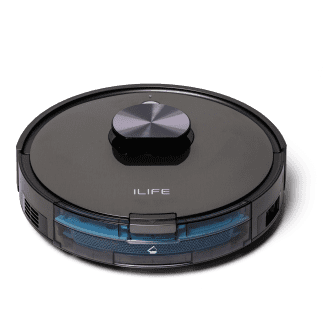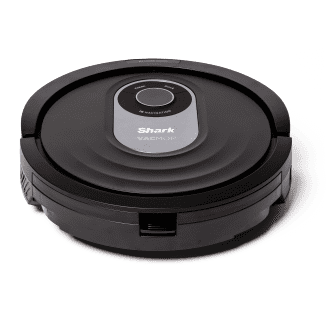
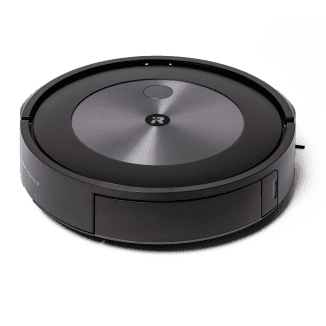
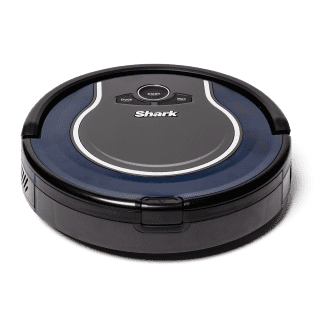
When we're done cooking for the night, our kitchen floors can probably tell you just what we made for dinner. And the last thing most of us want to do is break out the broom or vacuum. Enter robot vacuums, which promise to take care of all that mess for you. We tested the latest robot vacuum cleaners at a wide range of prices. They offer special features that include voice and app control, mop attachments, home mapping, scheduled cleaning, pet-accident avoidance, video surveillance, and more. Our top choices are based on sheer cleaning power: They did the best job at removing dirt. They were also easy to operate, whether we used controls on the robots or their user-friendly apps. The iRobot Roomba j7+ Robot Vacuum was the premier picker-upper, easily “sweeping” the competition. It can keep going to get any job done since it empties its own dustbin, recharges, and returns to cleaning. It quickly created an accurate map that let us label rooms and set up scheduled or impromptu cleaning of designated areas or of the whole house. The Shark ION Robot Vacuum, a more budget-friendly robot with simpler features that performed nearly as well in picking up dirt as our winner, is a great option and our Best Buy.

The earliest robot vacuum, the hockey puck–shaped iRobot Roomba, appeared in 2002. Since then, the category has grown and evolved as more manufacturers have explored different robot shapes and features. The earliest models navigated by bouncing off walls and furniture as they traveled randomly around each room. Today, many robots can map your home with lasers or optical sensors and follow methodical cleaning patterns. The newest models offer many bells and whistles at a wide range of prices. We first focused on their vacuuming abilities and then decided which extras were worthwhile.
We scattered the same carefully weighed kitchen mess of flour, coffee grounds, and other ingredients in a pen; set each robot to work; and then measured what each picked up. The best models picked up nearly 100 percent of the mixture, while the worst left most of it behind.
What to Look For
- Cleaning Power: In our lab tests, robots were presented with equal amounts of kitchen mess that included used coffee grounds, popcorn kernels, onion peels, salt, flour, and minced vegetables. The best robot picked up 100 percent of the mess; the worst, just 59 percent. Next we scattered rainbow confectionery sprinkles on a floor with an area rug. The best model scooped up more than 98 percent of the sprinkles; the worst, just 36 percent. Powerful suction made a big difference: As they passed over dirt, the top two models left clear trails, unlike lower-ranked models. Our favorite, by iRobot, also had unique dual counter-rotating rubber brushes that rigorously scooped up debris.

Powerful suction made a big difference. Robots were presented with equal amounts of kitchen mess that included used coffee grounds, popcorn kernels, onion peels, salt, flour, and minced vegetables. The best robot picked up 100 percent of the mess; the worst, just 59 percent. Next we scattered rainbow confectionery sprinkles on a floor with an area rug. The best model scooped up more than 98 percent of the sprinkles; the worst, just 36 percent.
- Thorough Coverage: We liked robots that didn’t miss spots. A few used supposedly sophisticated lidar navigation technology, while some followed preset patterns—and one navigated randomly like an early Roomba. But not all of these movement modes actually sent the vacuum over the whole floor, as we saw in time-lapse photos (and in the results of our lab-vacuuming tests). An inexpensive, simple model by Shark that randomly bumped around a room still covered it more thoroughly than many fancier models. On the other end of the spectrum, our top model, by iRobot, used a complex combination of navigation modes, including a camera that creates digital “waypoints” to navigate and map its position in the room, built-in movement patterns, and internal and external sensors that constantly detect its position (as well as extra dirt, cliffs, and obstacles) so that it can traverse any space thoroughly.


Although our Best Buy vacuum, the Shark ION (left), operates by randomly traversing a room, it thoroughly covered the space, as evidenced by our time-lapse photo. Our winner, the iRobot Roomba j7+ (right), uses intelligent navigation, multiple sensors, and patterned movements to travel around a room and completely clean it.
- Fast, Accurate Mapping: Some robots offer a mapping feature. As it first travels through your space, the robot begins to create a map visible on its app that lets you designate and schedule areas for cleaning. But some robots’ maps were still incomplete and inaccurate long after others’ maps were finished to the point that we could create cleaning schedules—or simply send the robot to vacuum only the kitchen floor.
- Easy to Operate: Our favorite models were simple to use and easy to set up, with clear controls on the robots and their apps; dustbins that emptied automatically or without making us struggle to get dirt out; strong connections to Wi-Fi; and well-designed, compact parts and accessories.

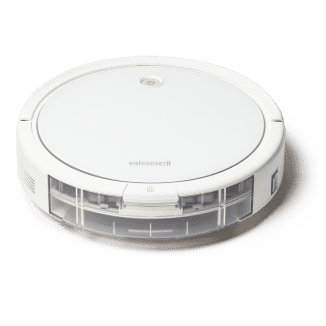
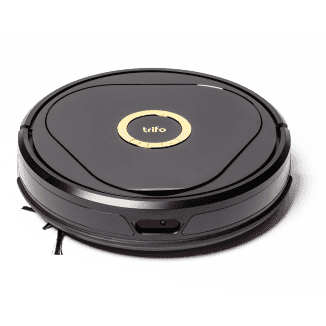
1. Our winner from iRobot quickly mapped multiple rooms accurately and showed them on its app. We could label rooms, set cleaning schedules, and send the robot to clean everywhere or to specific rooms or areas at designated times. 2. The Bissell app was easy to use and gave us clear indications of what was happening with the robot; not all apps were as user-friendly. 3. The Trifo Lucy Pet Edition includes a survellance camera that you can turn on from the app to view or record what the robot is seeing. We found its low camera angle not very useful and the function a bit creepy.
- Clear Messaging: Many of the robots we tested actually “spoke” to us; we liked the models that clearly communicated via an app or a voice, telling us when to empty dustbins, when they needed help getting unstuck, or when they needed a repair. For those that didn’t speak, app notifications and visual cues on the robot itself were helpful.
- Simple, Sturdy Charging Docks: Every robot comes with a “dock” that plugs into an electrical outlet where the robot can recharge its batteries. We preferred models with compact, sturdy charging docks that were easy to assemble and designed for secure, unambiguous docking.
What to Avoid
- Weak Suction: If the robot vacuum doesn’t clean thoroughly, it’s not doing you any favors. In lab tests we watched some models run right over sprinkles or food scraps and leave a significant percentage behind. While a few models let you adjust suction power via their apps, the “max” setting depleted batteries.
- Confusing Controls and/or Apps: Even if a robot vacuum has exciting features, if its app and display are hard to interpret or use, you’ll be fighting it instead of relaxing while it cleans. In addition, some robots had no trouble finding and connecting to our Wi-Fi, while others struggled, frequently made us wait, and sometimes lost connection altogether.
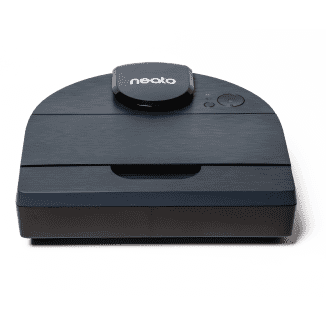
The D-shaped Neato vacuum often got stuck, including on raised thresholds, and asked for help.
- Lost Travelers: Some robots frequently got stuck and called for help or couldn’t locate their own recharging docks. One robot sat in an open hallway and plaintively repeated that it had become “disoriented.” Another kept stalling on thresholds. A third rolled far under a claw-foot bathtub and then shut down.

This time-lapse photo shows the Neato robot vacuum's pattern of back-and-forth cleaning, but in our lab tests, it did a poor job of suctioning dirt, leaving trails of rubble in its wake.
- Poor Cleaning Patterns: A few robots ran through rooms in an appealing back-and-forth pattern but still missed areas (and plenty of dirt). Following a grid wasn’t always more effective than random cleaning where the robot simply bounced off walls for an extended time. As our time-lapse photos and lab tests showed, if the robot followed a grid pattern that was too spread out, or its programmed movement pattern didn’t vary enough, it would miss strips or areas of the floor. Smart navigation systems that helped robots avoid bashing walls and furniture sometimes seemed too cautious, meaning dirt stayed along the walls.

The Bissell robot followed a pattern to clean the space but repeatedly missed a large area, as this time-lapse image shows.
- Weak Work Ethic: A few robots decided they were finished and returned to their docks long before a space was clean. One often perkily declared, “I’ve done my chores!” after a few minutes of vacuuming and docked to recharge, even with a nearly full charge on its battery. Their sensors apparently failed to tell them they still had dirt to pick up. Others’ batteries depleted rapidly. While all robot vacuums use lithium ion batteries, not all robots operate equally efficiently to conserve the charges, and the batteries themselves can vary in quality.
The iRobot Roomba j7+ spotted and carefully avoided larger piles of fake poo but then ran right over a smaller one.
Other Considerations
- Promised Features Didn’t Deliver: Dazzling claims didn’t always pan out: We found video surveillance (and recording) interesting but creepy, and what we could see was fairly limited given the robot’s-eye view a few inches above the floor. Robots that claimed to have extra suction to pick up pet hair didn’t necessarily perform better than those without this feature. We liked the idea of a mopping attachment (see our testing of robot mops) so that we could skip buying two separate devices, but on models with so-so vacuuming functions, we’d rather pass. Finally, two models promised to spot and swerve away from pet poo but failed. (For the full results, see “Don’t Hit the Poo.”)
Don’t Hit the Poo

Two robots in our lineup, the Trifo Lucy Pet Edition and the iRobot Roomba j7+ Robot Vacuum, promised to spot and swerve away from solid pet “accidents” on the floor. iRobot even guarantees it. For people whose pets sometimes make messes around the house, having a robot vacuum dutifully spread poo through every room is a nightmare.
We ordered several all-too-realistic-looking assorted pieces of soft plastic pet poo online (an experience we never expected would be part of our jobs), scattered them around in hallways and rooms, and set each robot to work vacuuming the areas.
Unfortunately, the Trifo Lucy Pet Edition failed outright, dragging poo around the floor at every encounter. The iRobot Roomba j7+ Robot Vacuum neatly avoided large piles, cleaning carefully around them, but plowed right into ones a smaller dog or a cat might make. The bottom line: Don’t rely on this feature.
Pictured below: The Trifo Lucy Pet Edition (left) failed to avoid poo; a piece of the soft, realistic-looking plastic poo got caught in the brushes underneath the robot. The iRobot Roomba j7+ (right) spotted and swerved away from the pet "accidents" but didn't notice a small pile that a cat or smaller dog might leave.
- Set up the apps and connect the apps to the robots
- Scatter a measured amount of mixed kitchen ingredients on a designated floor area of a lab and then weigh the amount of debris collected
- Scatter a measured amount of confectionery sprinkles on an area rug and floor in a designated area of a lab and then weigh the amount of debris collected
- Vacuum (and also mop, where applicable), using each robot in a home environment on a variety of floor surfaces and area rugs over several days
- Where applicable, use maps of the home created by robots to clean designated areas and set schedules
- Test additional features, if any